
Digital wedding invitations for your Indian wedding.
Find a wedding card, an animated video invite or a wedding website. Compare the formats, preview real designs and choose how to share your ceremonies with guests on WhatsApp.
60+ invitation designs: E-Patrika cards, video invitations and wedding websites.
Choose a design, add your names, dates and ceremonies, preview it, then share it with your guests.
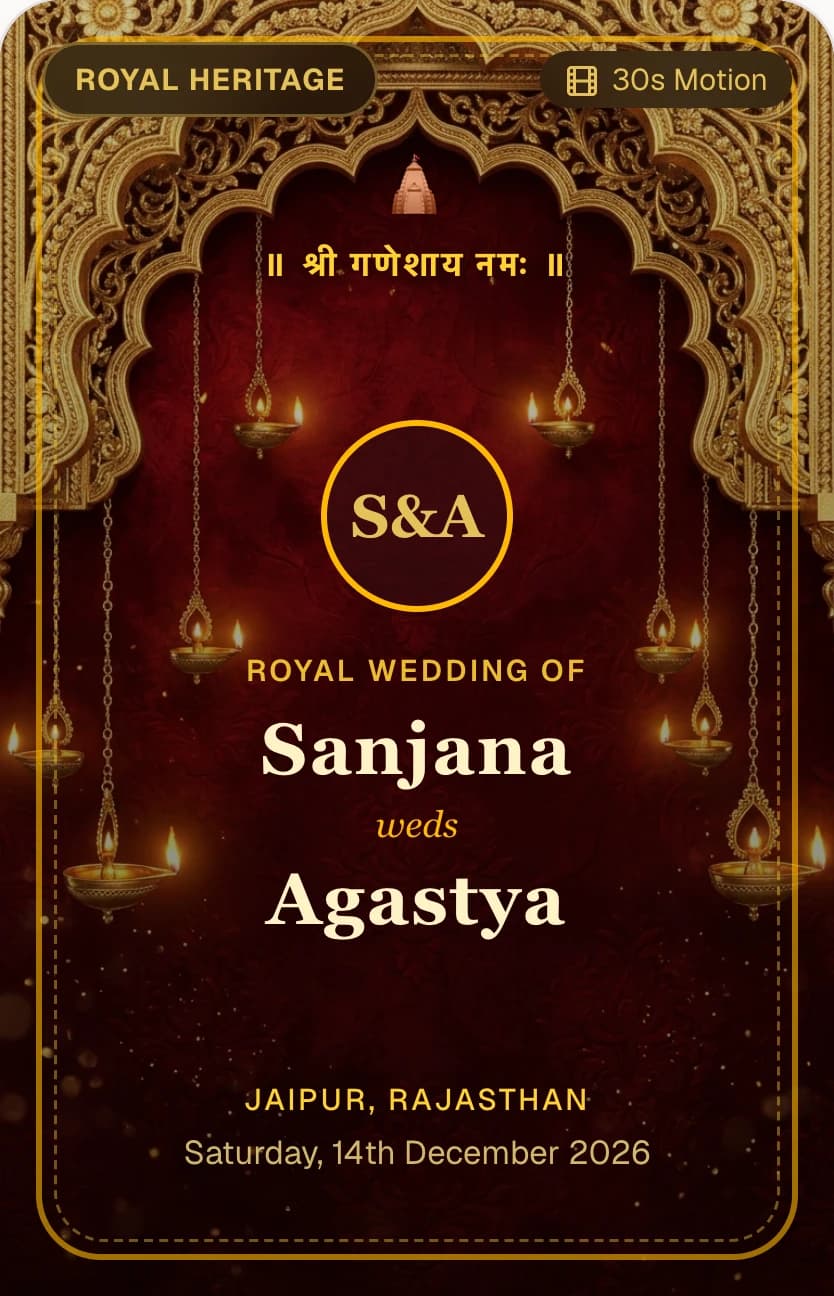
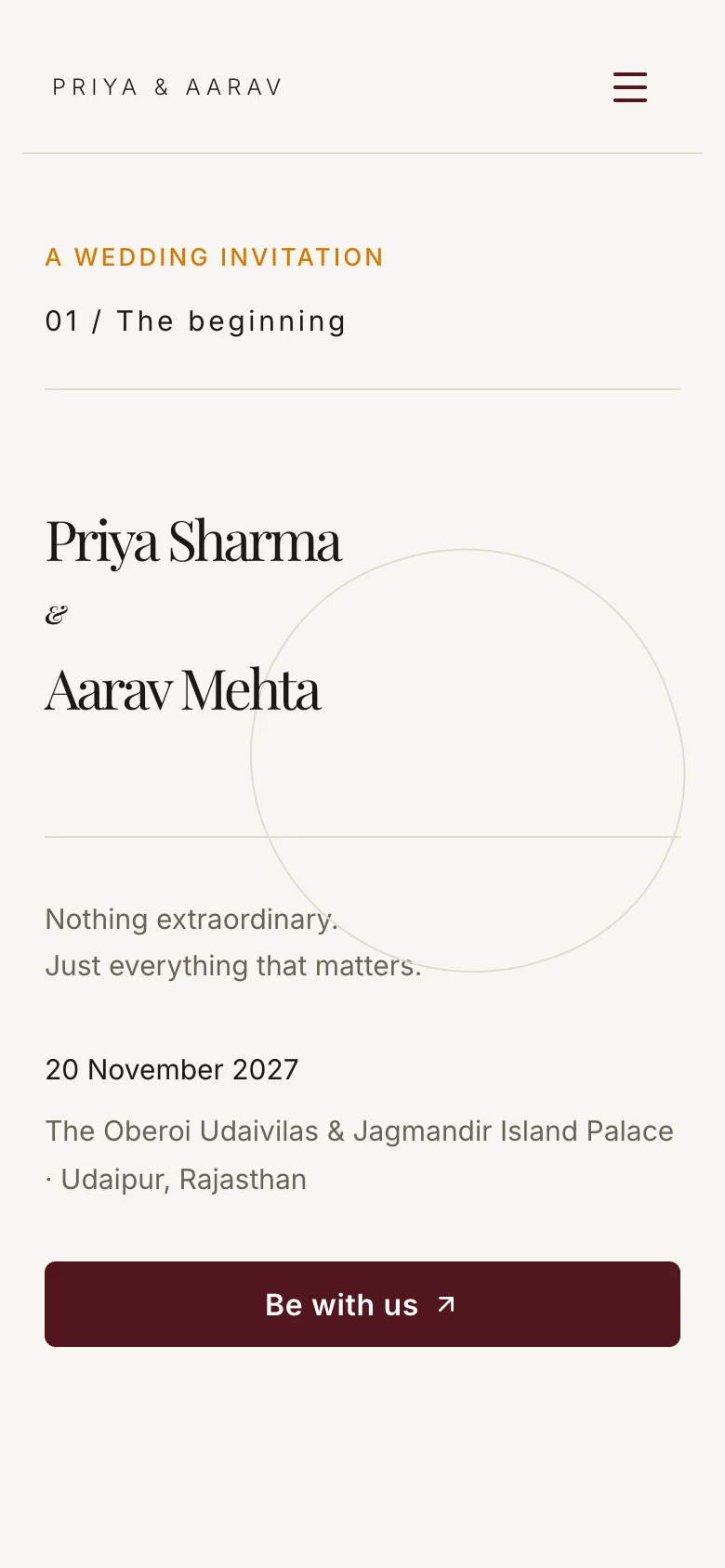
Which invitation format should you choose?
You can use more than one: a card for the details, a video for the announcement and a website for the schedule and replies.
Digital wedding cards and E-Patrika
Choose illustrated invitation pages when you want guests to read the details at a glance. An E-Patrika brings together a cover, the invitation and a page for each ceremony, with the date, time, place and dress code.
Browse the released collections and try your names. Some collections offer English with Hindi; check the languages available for the design you choose. Card pages do not collect RSVPs, so include your wedding website link when you need replies.
Browse digital wedding invitation cardsAnimated wedding video invitations
Choose a video invite when you want movement and music to introduce the celebration. Preview the actual animation, try your names, date and venue, and listen to the available soundtracks.
Some designs support a couple photo. Check the individual design before choosing it, and keep a readable card or website link alongside the animation so guests can find practical details. The public catalogue previews videos; it does not send an invitation or generate an MP4 download.
Preview wedding video invitationsWedding invitation websites with RSVP
Choose a wedding website when guests need one place for ceremony timings, venues, your story and photos. Share the link in WhatsApp alongside a card or video, and keep the published schedule current when plans change.
RSVP is a separate guest response flow. Guests use their personal invitation to reply for the ceremonies they are invited to, without joining the planning workspace. A decorative card or video alone does not record attendance.
Explore wedding website templatesBefore you share your wedding invitation.
A beautiful design works best when guests can find the information they need.
- Confirm the spelling of names, ceremony dates, times and venues with both families before personalising a design.
- Give each ceremony its own details. Include directions and practical arrival or dress instructions where guests need them.
- Preview the invitation on a phone. Check that names fit, the details are readable and any website or venue links open correctly.
- When you need attendance numbers, prepare the guest list and personal RSVP invitations before sharing. Keep guest contacts and private family records out of public invitation artwork.
Connect the invitation to your wedding plan.
Keep the guest list, ceremony replies and the work behind the celebration together. Check current plans before choosing paid access or a custom domain.